Recovery Intuition: Change Tracking
The Database Challenge
Scale: Tables have billions of rows, transactions change a tiny subset.
Reality: Copying the entire database for each transaction is a non-starter.
Solution: Track only what changes—think Google Docs and Git.
You Already Know This
Google Docs Version History
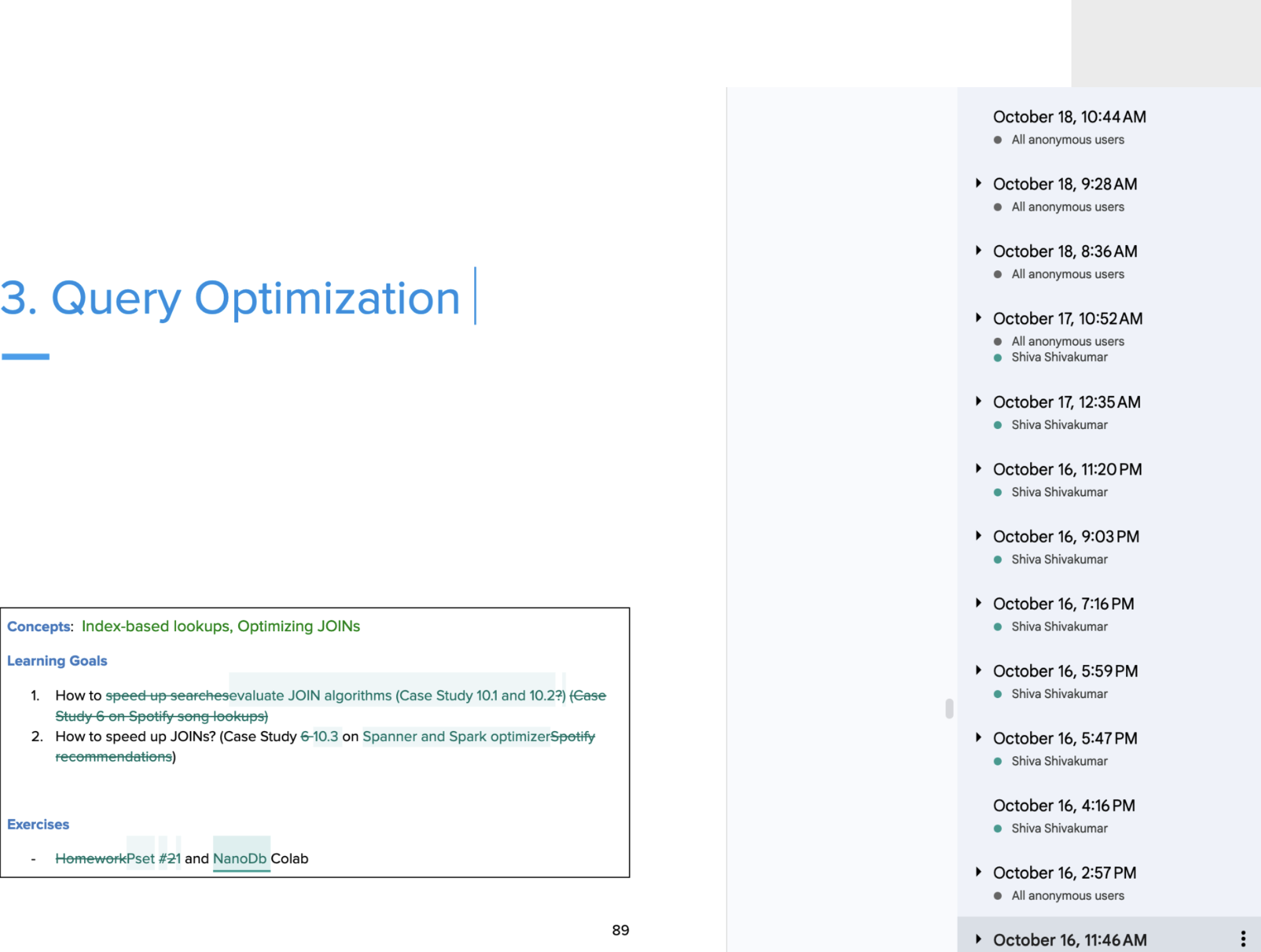
Key insight: Google Docs isn't hoarding 50 versions of your document. It logs the changes between them.
Git Version Control
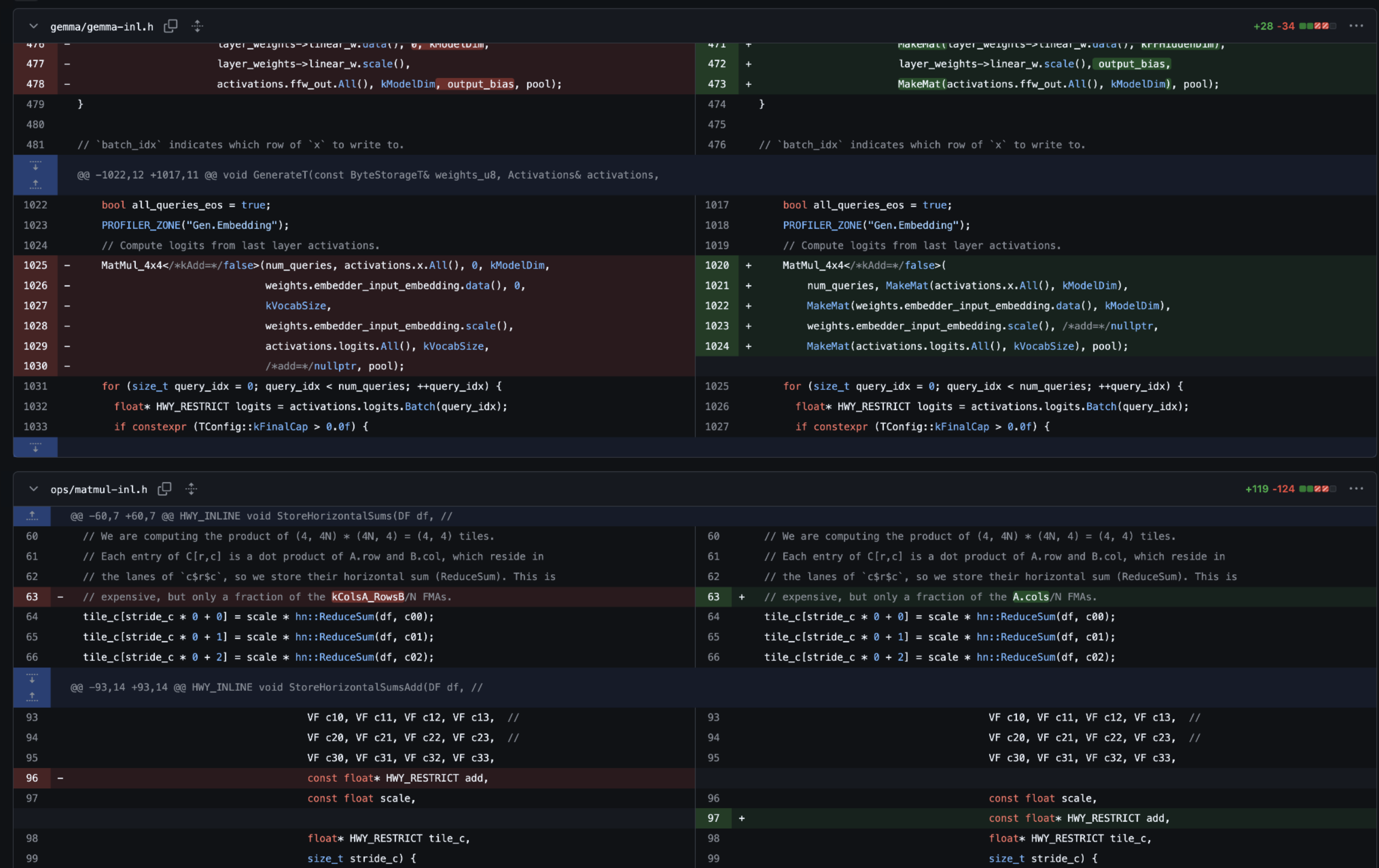
Key insight: Git doesn't save every file version. It captures diffs—what changed, when, and by whom.
Example Change Tracking in DB
Let's apply this to a ticket resale scenario:
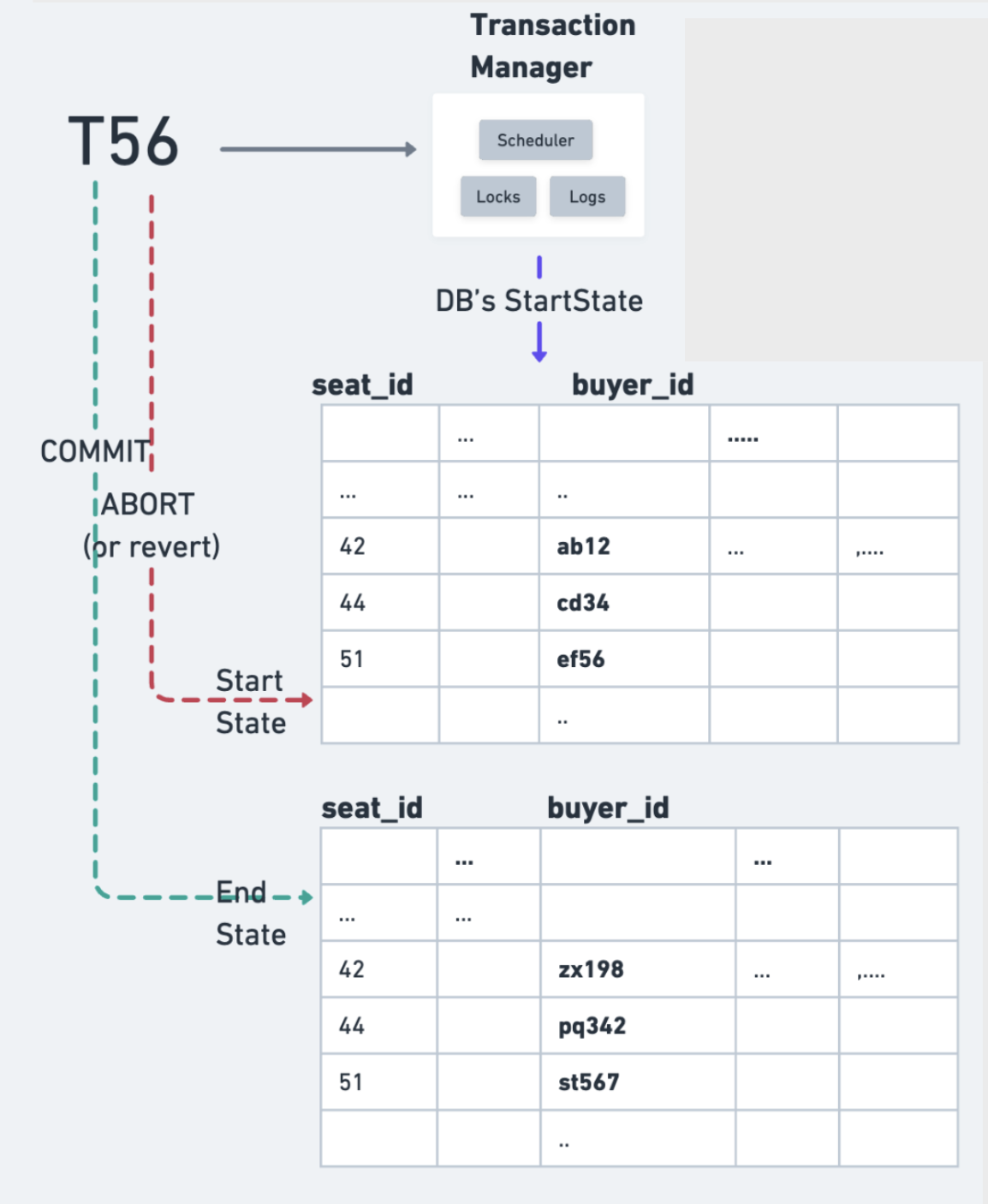
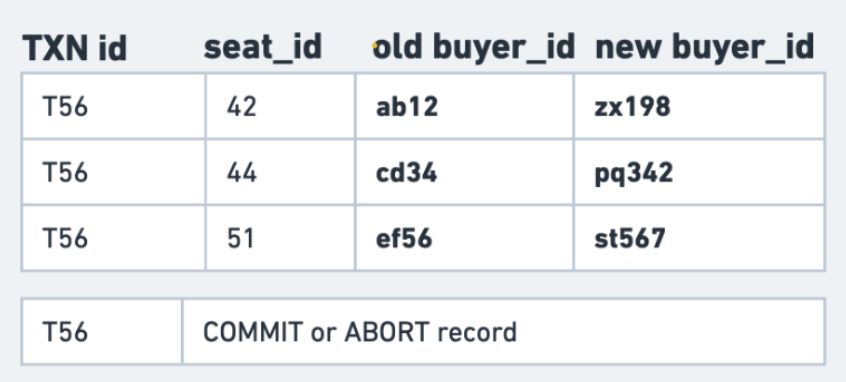
Instead of storing full database snapshots, we focus on:
Before & After Values
What changed: Specific rows and columns.
When it changed: Transaction timing and sequence.
Who changed it: Which transaction made the change.
Recovery Goals
✅ COMMIT: Make changes permanent and visible.
❌ ABORT: Undo changes, revert to the original state.
CRASH: Decide what to keep and what to discard.